
Start with one product
Keep Free and Pro active and connect your Pro license. Open the product’s saved supplier terms and find Compare buying options. Enter Units needed, then choose Compare suppliers. From a buying basket, use Compare suppliers for this saved quantity.
The comparison is read-only. It neither changes supplier terms nor creates a purchase order.
View the current demo example · Pro 1.1.25 with Free 1.1.27
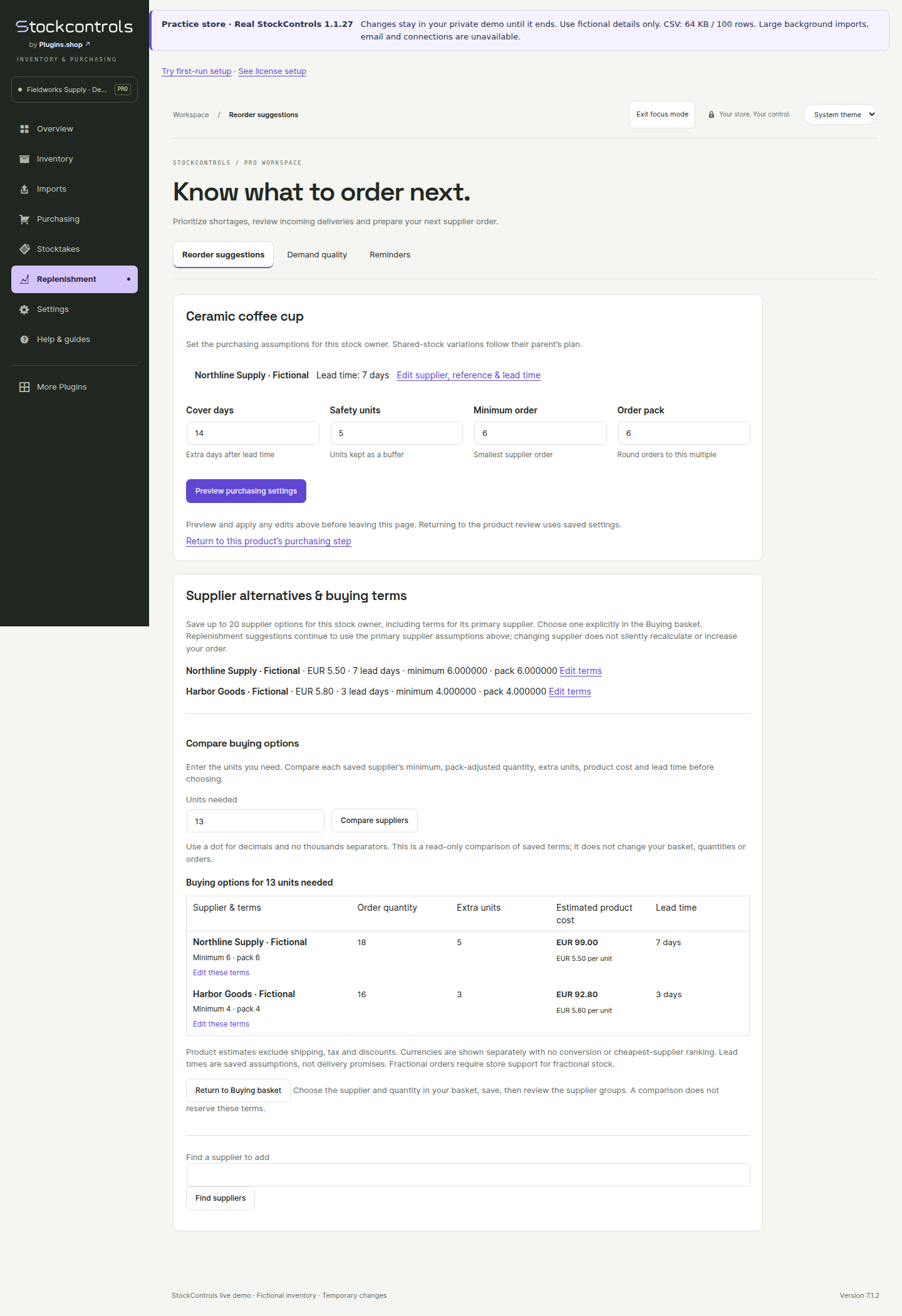
Compare quantities after minimums and packs
Each saved supplier option applies its own minimum order and pack multiple to the requested quantity. Compare the resulting order quantity and the extra units above your request. Precise supplier quantities require compatible WooCommerce decimal support; unsupported quantities are refused.
Keep price and delivery in context
Compare estimated product cost and saved lead time alongside the units you would actually buy. A missing cost stays unknown. Different currencies remain separate; no currency conversion runs. Freight and tax are excluded from the estimate.
Saved lead times are planning assumptions, not a live supplier availability or delivery promise. Confirm current terms with the supplier.
Choose through the normal buying review
Return to your buying basket and choose the supplier and quantity through the existing reviewed workflow. Pro rechecks current permissions, product/supplier identity and saved terms. If something changed, reload and review again.
Ordinary purchase orders, PDF exports and partial/full receiving remain in Free. No email, supplier API order or automatic purchase is sent.
Export the displayed replenishment decisions or continue with a purchase order.