
Correct stock
Find a product by name, SKU or ID. Prepare a quantity change, add your reason, then review before applying.
Correct quantities, review CSV imports, create purchase orders and receive deliveries in stages—all inside WordPress.
No account, license key or marketing consent required.
No trial expiry. Check requirements.
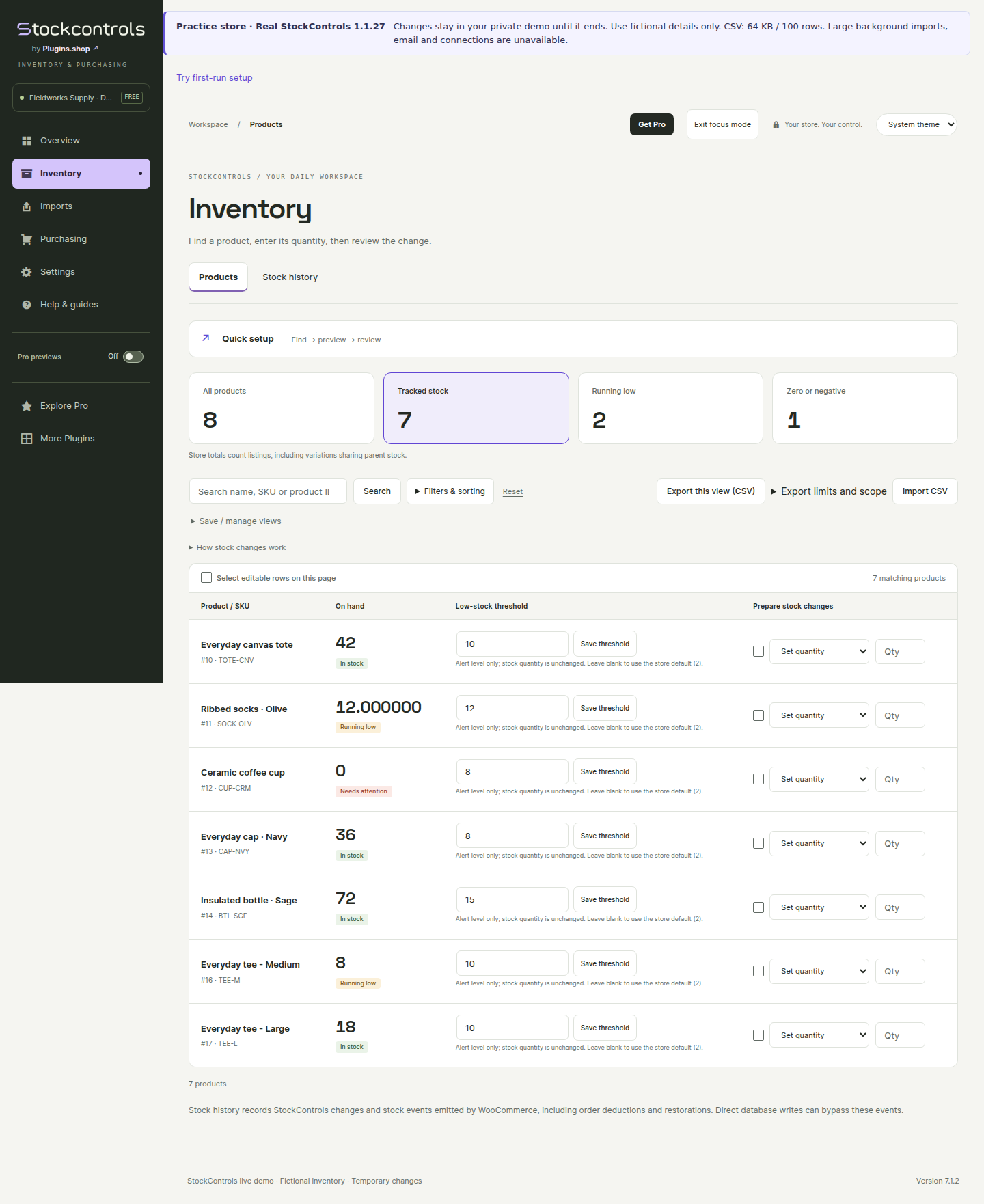
Try the actual Free plugin in a temporary store with fictional products. No signup or connection to your store.
Find a product by name, SKU or ID. Prepare a quantity change, add your reason, then review before applying.
Map a small file and check its rows before changing stock. Use the separate resumable importer for larger files.
Open a supplier order, review what arrived and update stock. Keep the remaining quantity ready for the next delivery.
Demo sessions last up to 30 minutes. Email, supplier sending and large background imports are unavailable; demo CSV files are limited to 100 rows / 64 KB. See demo details.
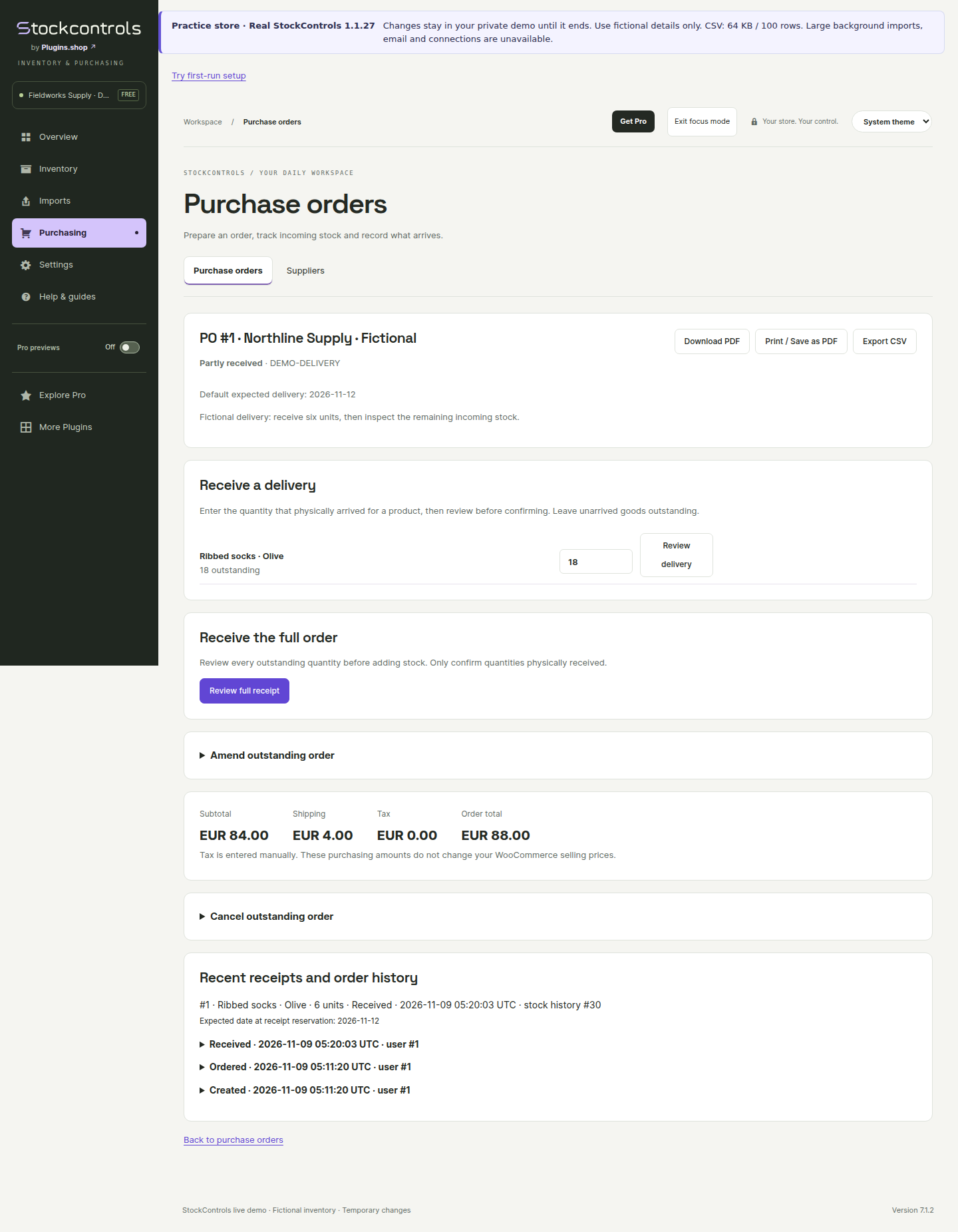
Create a supplier order, download its PDF and record only what arrives. You do not need Pro for ordinary purchase orders or full and partial receiving.
A real result from the demo’s fictional Ribbed socks order.
Use a staging copy and take a backup first. Check your own products and stock integrations before working on the live store.
In WordPress, choose Plugins → Add New Plugin, search for StockControls, then install and activate it. You can also upload the ZIP from WordPress.org.
Optional domain/compatibility sharing and email signup are separate choices. You can skip both; Free tools still work. Email signup requires confirmation.
Open Inventory → Products, find a sample product and prepare a small change. Preview it, confirm it and check the stock history.
Free 1.1.27 requires WordPress 6.5+, WooCommerce 9.1+ and PHP 7.4+, with supported MySQL/MariaDB storage. Full requirements and limits.
Follow the installation guideStock corrections, CSV imports, history, suppliers, purchase orders, PDFs and receiving stay available without Pro.
Compare Free and ProYes. Save up to ten named views per WordPress account and store. Views remember filters and sorting; they do not save or change stock quantities.
Saved count lists, progress, variance review and reconciliation require Pro, even for a single operator. Free includes immediate manual quantity corrections and SKU lookup. How saved counts work.
StockControls records its own changes and observes supported WooCommerce stock hooks while active. It does not backfill earlier movements or capture direct database writes. Third-party integrations need checking. Understand the history.
The mapped importer accepts up to 200 rows / 1 MB. The separate resumable Large CSV imports screen accepts up to 10,000 rows / 10 MB with the exact template headers. The temporary demo has smaller limits. Choose the right import path.
No. Domain/compatibility sharing and email signup are independent, optional choices. Skip either or both during setup and manage them later under Welcome & privacy. Email signup requires confirmation. Read the privacy details.
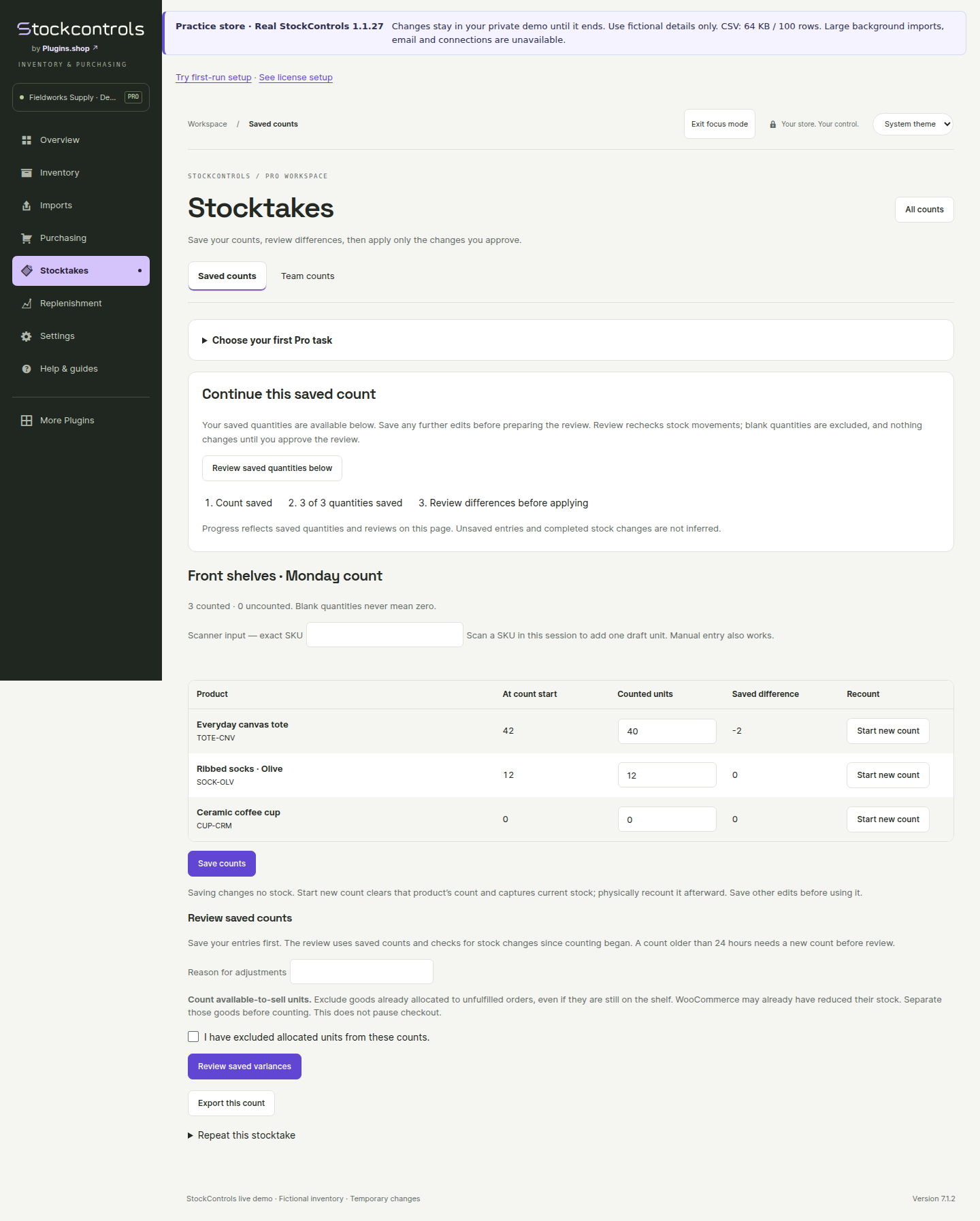
Saved counts and purchasing plans build on the everyday tools. These genuine screens show Pro 1.1.25 running with Free 1.1.27 and fictional data. Pro is a separate paid add-on.
Keep counted quantities and review differences before changing stock. Add team counting when you need it.
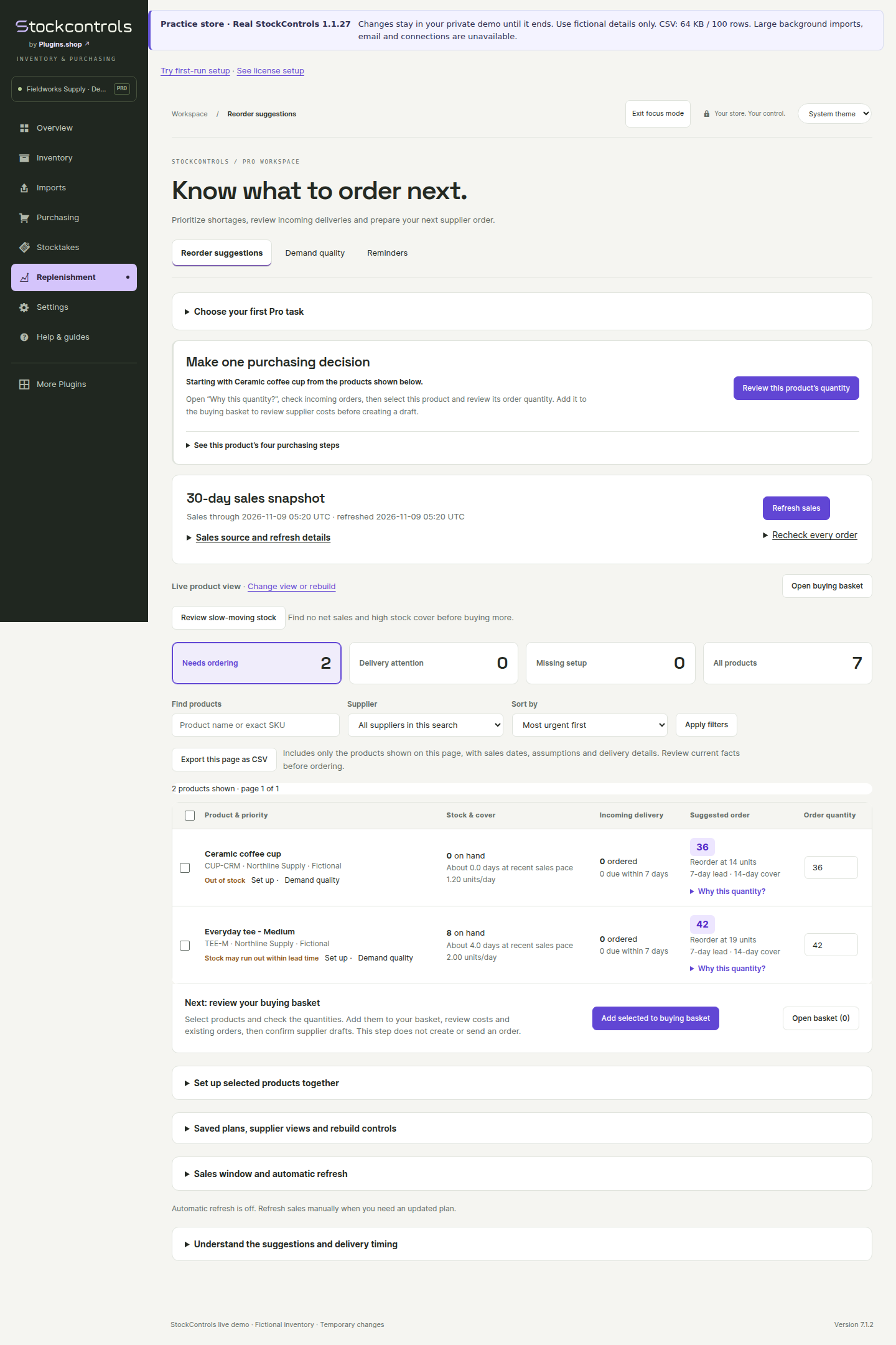
See sales, supplier lead time and incoming stock behind a suggested quantity before you plan the next order.
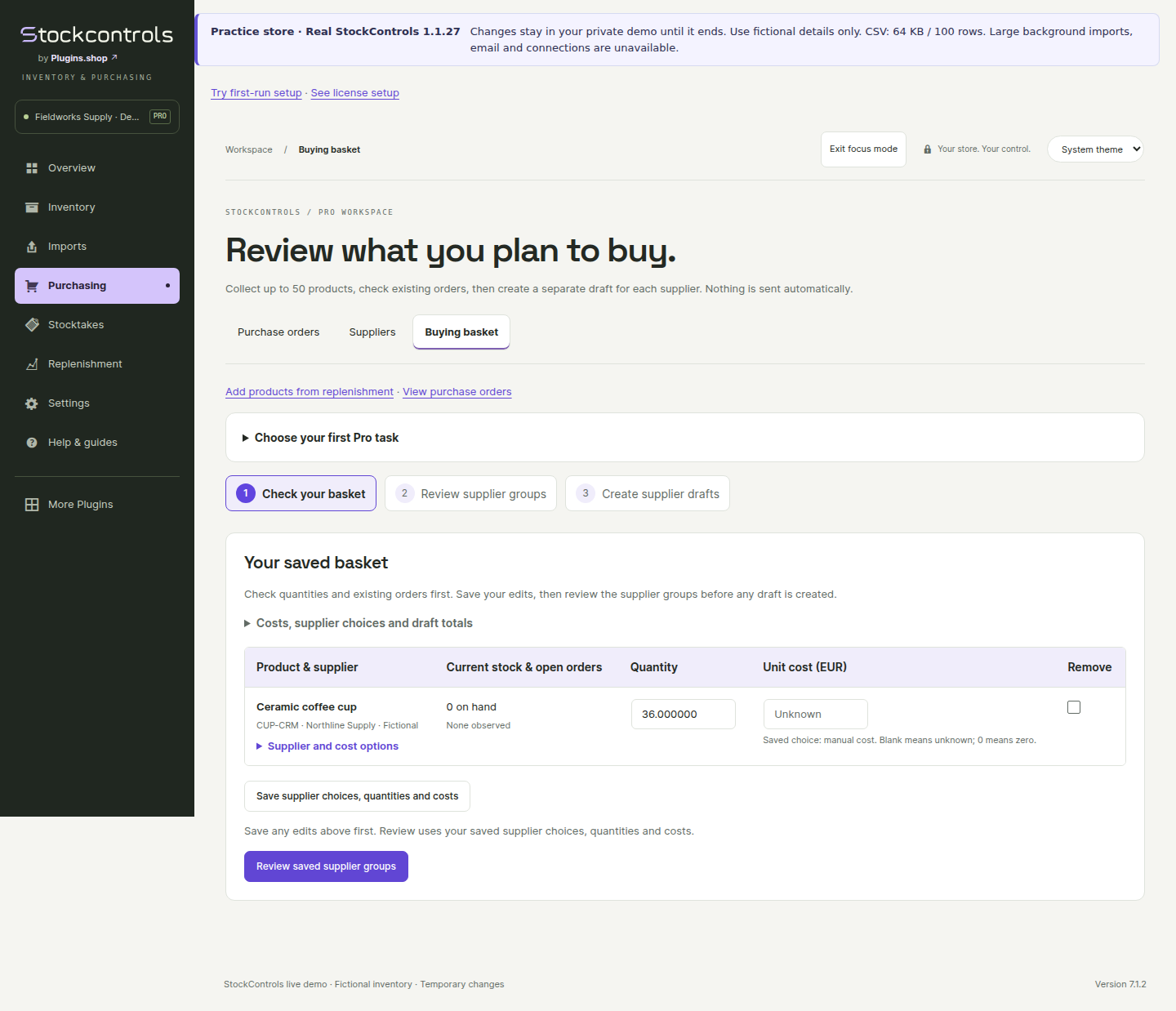
Collect selected products, compare supplier terms and review supplier groups before creating order drafts.
Download Free, install it on staging and make your first reviewed change. Add Pro only when you need its workflows.
No account, license key or marketing signup required.
Optional WordPress plugins from Plugins.shop, the same publisher. Choose the tools your store needs.
Review recorded costs and estimated order profit alongside your inventory work.
View on WordPress.org ↗Set order minimums, quantity limits and pack sizes for your WooCommerce store.
View on WordPress.org ↗Investigate supported WordPress and WooCommerce activity when something changes.
View on WordPress.org ↗