Skip to content
StockControls
THE REAL PLUGIN. YOUR OWN SAMPLE STORE.

Try the work.
Feel the difference.

Open an actual WordPress store running StockControls. Explore fictional products, make real demo changes and follow the same screens you would use in your own store.

No signup. No store connection. Your temporary session lasts up to 30 minutes.

The public demo includes Pro workflow previews and first-task guides. Its workspace shows the installed demo version. Try everyday Free tools, then explore saved stocktakes, replenishment and supplier buying in the Pro demo.

Private to your session

Your fictional inventory is separate from other visitors’ demos.

Thirty minutes to explore

The session expires automatically. Start again when you need a fresh store.

Reset when you want

Reset or end your demo using its own controls. No real store is connected.

Sample data only

Do not enter customer, personal or confidential information.

REAL SCREENS. A SAFE PRACTICE RUN.

Learn the workflow,
not a mock interface.

The demo runs Free and Pro in isolated temporary WordPress stores. Stock changes, purchase-order receipts and saved counts use the plugin’s own controls.

The demo is a restricted practice environment. It does not send emails, place supplier orders or connect to your store. The Pro guest has a fictional local demo activation so you can try the tools without a purchase key. On your own store, Pro requires a successful license activation. The demo cannot activate a real license. Installation, account connections and unrestricted uploads are not available.

Trying a CSV? Demo uploads are limited to 100 rows / 64 KB. Background large imports are unavailable in the demo; the installed Free plugin supports the larger limits documented in the CSV guide.
How demo data is handled
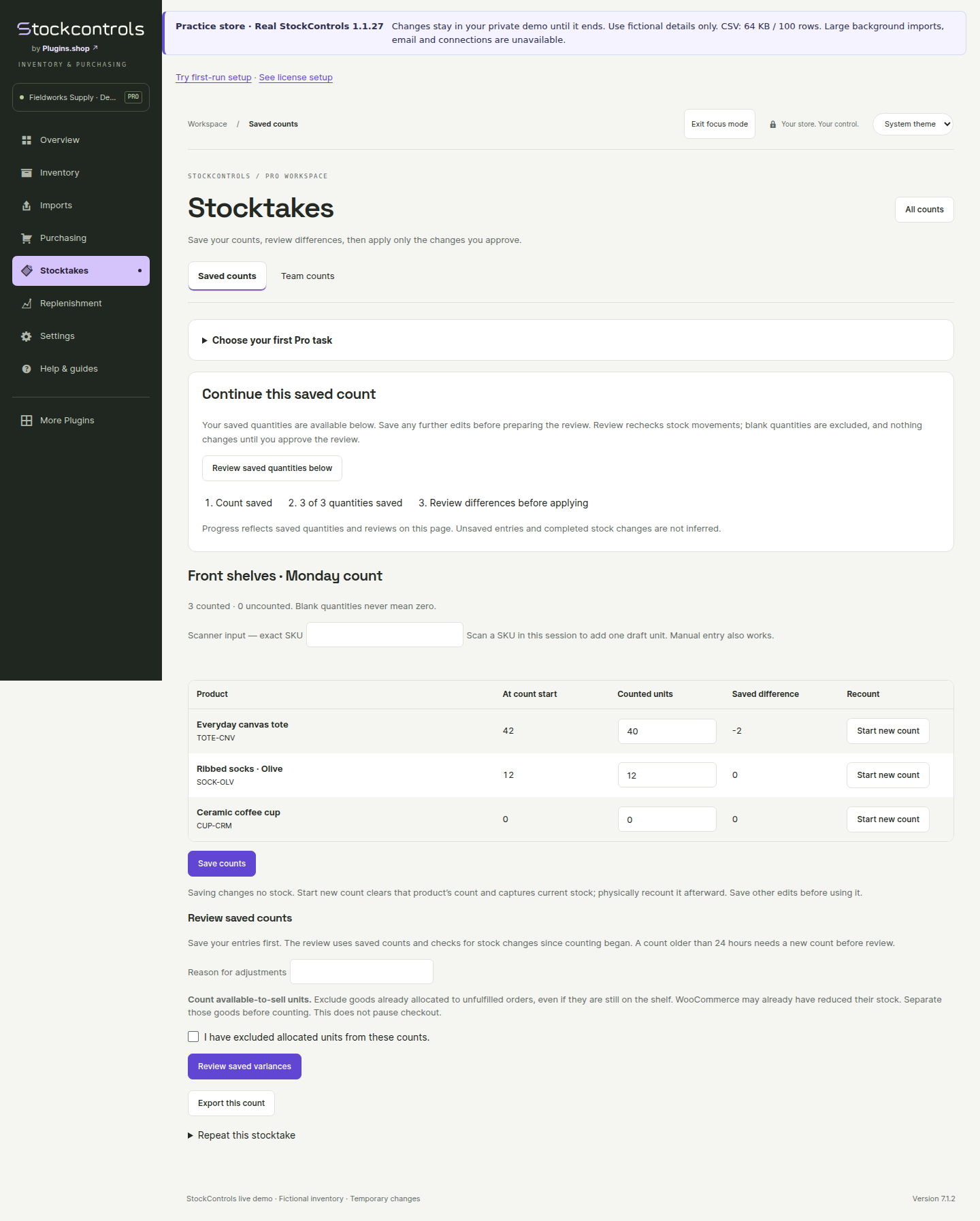
Pro 1.1.25 with Free 1.1.27. Saved counts before a separate review changes live stock.
Pro 1.1.25 with Free 1.1.27. Saved counts before a separate review changes live stock. Genuine demo capture, 9 November 2026; fictional data. Open desktop view ↗Open mobile view ↗
BEFORE YOU START

A quick orientation.

Will my changes affect a real store?

No. You are working with fictional products and orders in a temporary demo guest. No production store or customer inventory is connected.

Will the demo survive a page refresh?

Your guest keeps its demo work during its session. It expires after 30 minutes; resetting or ending the session also removes that working state.

Why do some WordPress options look unavailable?

The demo is limited to the stock workflows you came to try. Store administration, plugin installation, outgoing email and account connections are restricted.

Can I try both Free and Pro?

Yes. Choose the edition for the workflow you want to explore. Saved stocktakes and planning are Pro features; immediate corrections and ordinary receiving are included in Free.

What if the demo is starting or busy?

The demo launcher shows its current status. Follow its retry or fresh-session controls. You can also explore the task guides while a store is being prepared.

Ready to use it in your own store?

Start with Free for everyday stock work. Add Pro when you need saved counts and planning.