
Open Stock attention
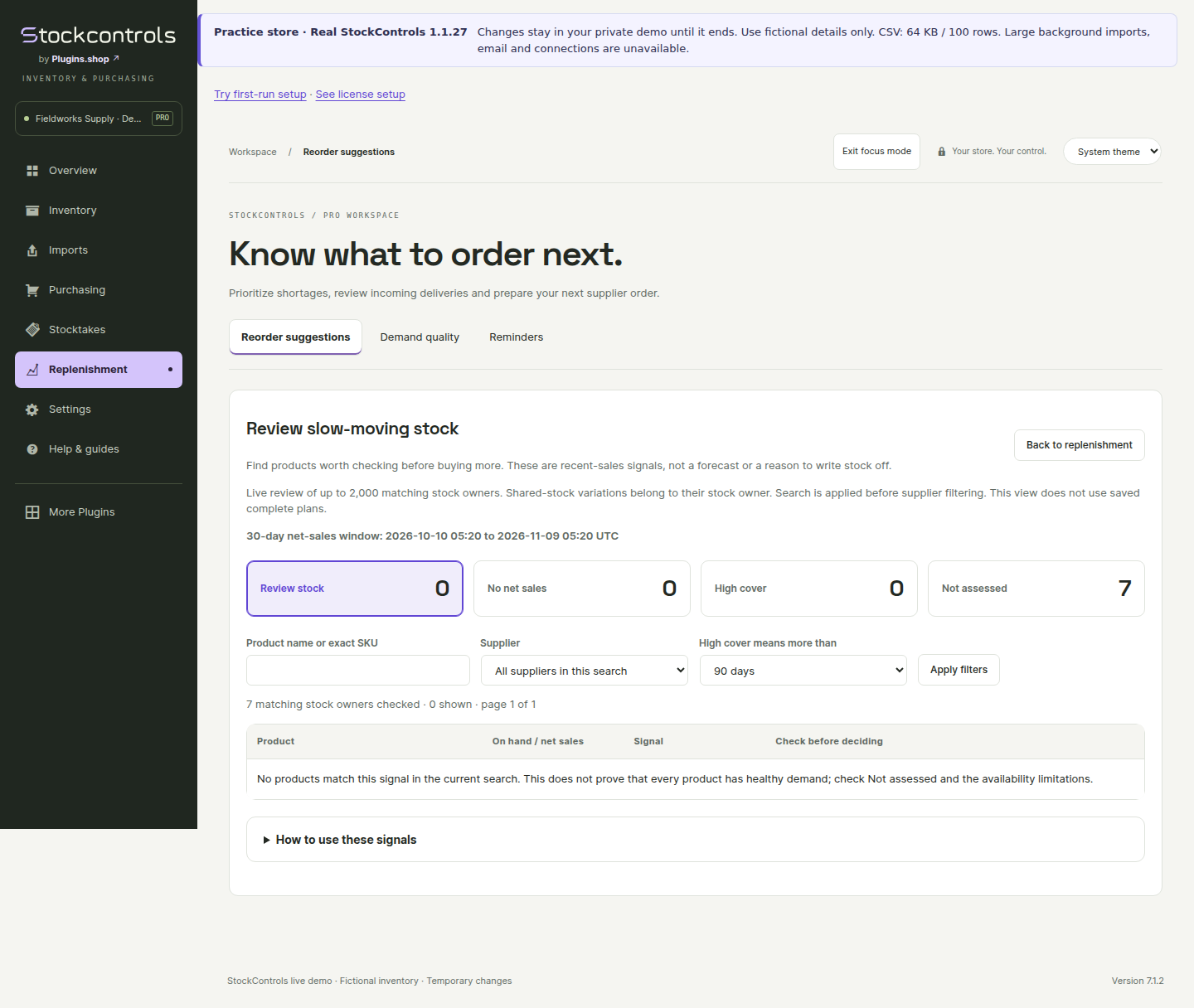
In Pro, open Replenishment → Reorder suggestions, then choose Review slow-moving stock. Choose a completed sales snapshot and review its dates. Filter the live view by product or exact SKU; its complete scope is limited to 2,000 matching stock owners. Narrow a larger search.
The view is read-only and does not create orders, reduce stock or label products for automatic disposal.
View the current demo example · Pro 1.1.25 with Free 1.1.27
Read each signal with its context
No net sales means no recorded net units in the selected snapshot. It does not prove that the product never sold. Quantity refunds can reduce net sales; negative net sales are distinguished from zero.
High cover compares current stock with recent daily demand against the explicit cover threshold you choose. It is a review signal, not a future-demand forecast.
Not assessed keeps unavailable stock, missing snapshots, young products and pending recovery visible instead of inventing a conclusion.
Understand the evidence limits
Availability observations describe the samples actually recorded, not uninterrupted proof that a product was in stock. Missing evidence and an unreadable observation query are different conditions. Earlier samples already normalized by the store cannot be reconstructed retrospectively.
Sales windows, product age, promotions, seasonality, stockouts and pending receipts can change the interpretation. Investigate the reason before discounting, stopping purchases or assuming demand is zero.
Choose a separate next action
Resolve unavailable inventory or pending receipt recovery first. Review the relevant product and supplier, then use replenishment, supplier comparison or your own merchandising process. Stock attention never applies those decisions automatically.